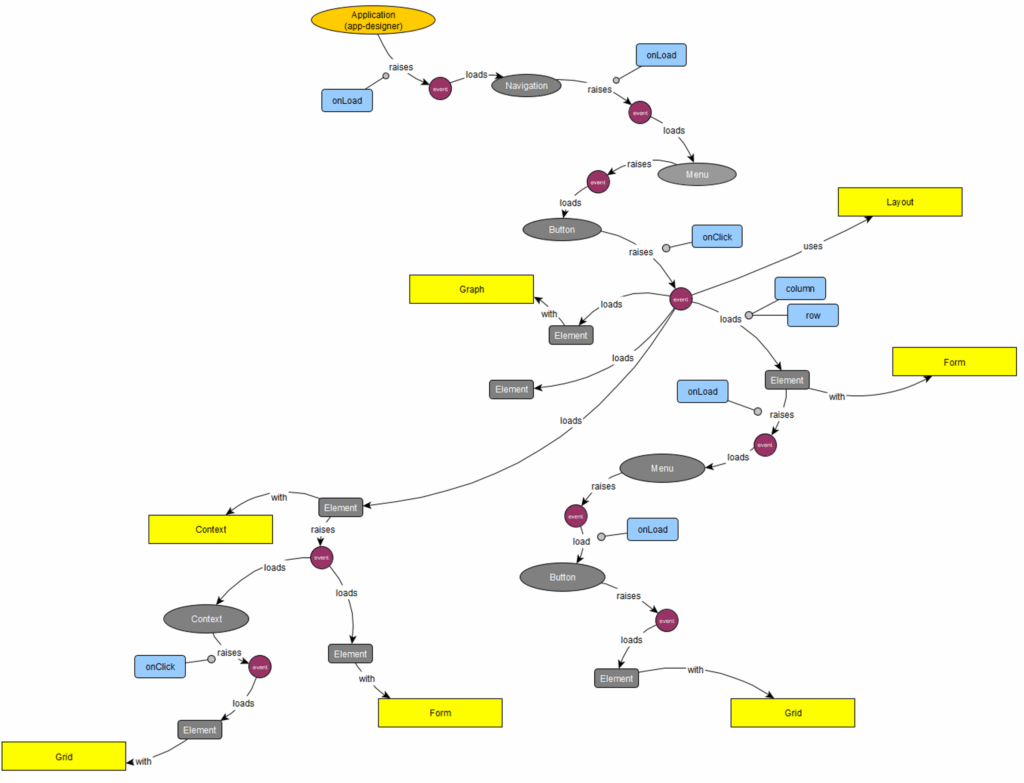
An application is configured – similar to BPMN – as a networked structure of widgets, events, menus and buttons. This is stored as a graph and simultaneously provides the documentation.
Configure Applications as a Graph
The logic of an application is configured using a few workflow elements. Events reflect the user's activities, widgets are reusable screens or tables. Result: a BPMN-like graph with the entire programming logic.
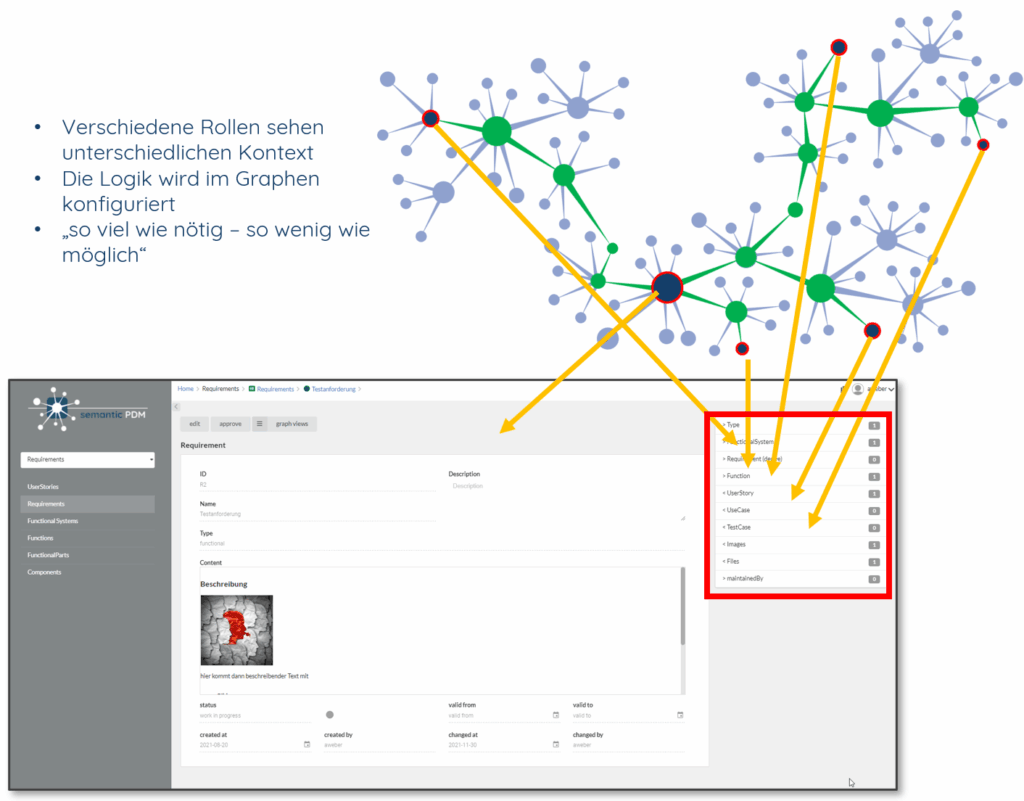
- Selection of the workspace
- Main menu of the respective workspace
- Breadcrumb bar for quick navigation
- Data area with details on the current object
- Role-specific context area
Role-Specific Context Blocks
The relevant context on the right side of the screen is configured depending on role and object. Each user group sees exactly the information and actions needed for the current work step.